
How the Harrison County Court Calendar Works
Harrison County Court CaseLook gives the public two windows into scheduled activity. One is a Hearing Calendar. The other is a Court Schedule. The month calendar lets you pick a Month and Year. Optional Attorney and Official filters sit on top. The schedule view works differently. You give it a beginning date and an ending date. It returns daily time slots listing Case, Party, Description, and Status. Handy as these views are, neither promises that every court record or last-minute change appears immediately.
Common Pleas runs on a separate interface. Its CaseLook portal has a Calendar Search tab instead of the County Court month view. A beginning date is required there. The ending date and case categories are optional. Results can be narrowed to Appeals, Civil, Criminal, Domestic Relations, Judgment Lien, or Miscellaneous. After the CAPTCHA, you can display 25, 50, 100, or 250 results at a time. Neither calendar replaces the other, so go to the court that owns the record.
The sequence that works best is straightforward. Check your paperwork or the most recent notice. Pull the CaseLook record. View the calendar or schedule. Then confirm with the court itself. Each step lowers the odds of relying on a stale setting.
Harrison County Calendar Filters
The County Court month calendar is built around a chosen month and year. Attorney and Official are optional filters, and the Filter Hearings button applies them. These controls help when you already know a rough date range. The public page does not offer a fixed list of Attorney or Official values. Those choices fill in dynamically. So if a name or office is missing from the filter list, read nothing into it. That says nothing about the case itself.
A month calendar earns its keep when a notice gives you only an approximate date. When you know a case number or party name, a record search works better. The case file shows hearing information plus the newest chronological Docket Entries. Checking both is the safest way to see whether an event is still listed. For the official public controls, use County Court CaseLook’s month calendar.
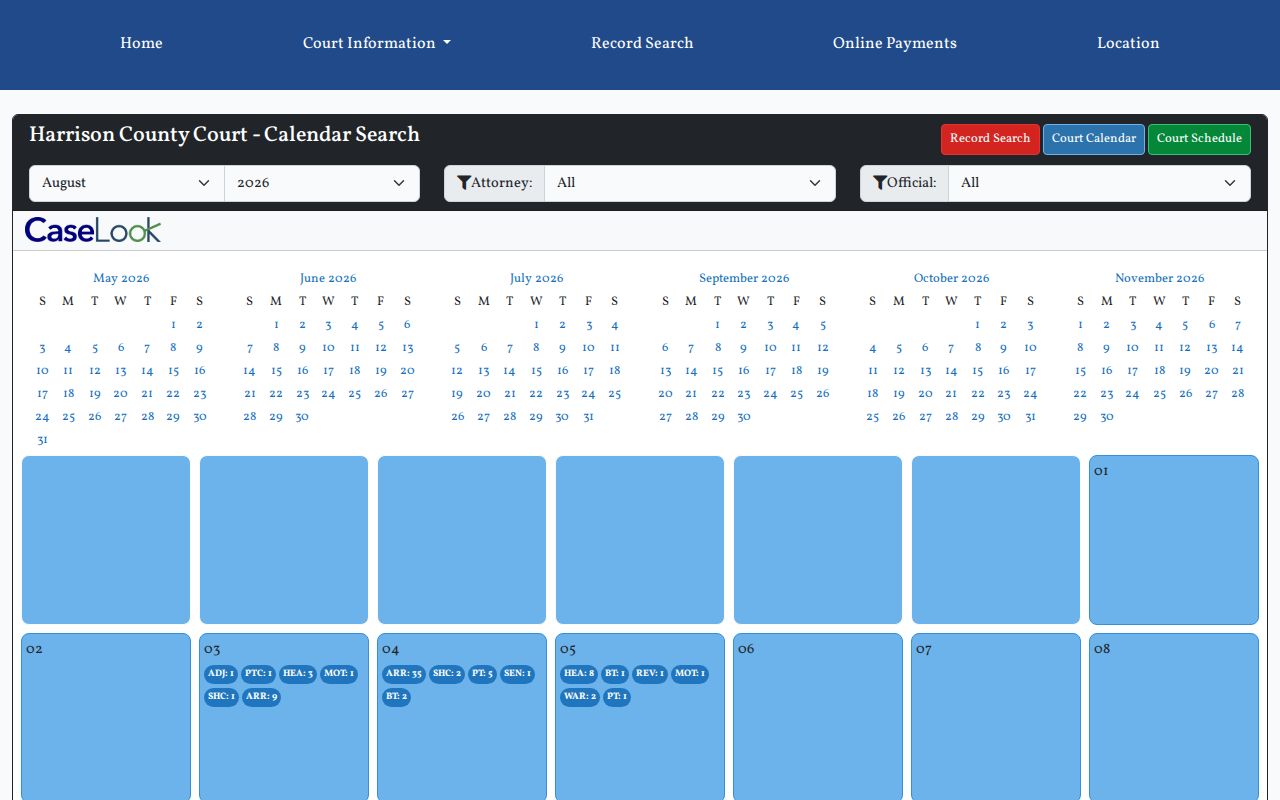
The month view suits a date-focused check. For the file’s event history or a newer entry, the case record is the better read.
Harrison County Court Date Lookups
Begin with the citation, summons, notice, or latest docket entry. For an eligible County Court citation, the court’s payment information says the date and time are printed at the bottom. They may also be checked in Record Search. Open the actual case in the correct CaseLook system. Read the hearing-date and hearing-type information along with the newest entry. Do not stop at the top of the page. Then pull up the County Court calendar or schedule, or the Common Pleas Calendar Search. That gives a second view of the scheduled event.
- Read the most recent paperwork or citation for the court name, case or citation number, and the listed date and time.
- Search the matching County Court or Common Pleas CaseLook record and inspect the current hearing block and newest Docket Entries line.
- For County Court, use the month calendar for a selected month or the schedule for a date range. For Common Pleas, enter the required beginning date, select the relevant category, and complete CAPTCHA.
- Compare the notice, docket, and calendar. If they conflict or the setting moved recently, contact the court that owns the record before relying on a public display.
Online calendars are not the only channel. The court counter remains the direct route for a case-specific check. County Court confirms its own settings at 740-942-8865. For Common Pleas, call 740-942-8500. Probate uses 740-942-8868, Juvenile 740-942-8862, and a party’s attorney can explain the status of representation and any notice received through counsel.
Harrison County Schedule Searches
The County Court schedule view shines for a beginning-to-ending date check. It carries the same Attorney and Official filters as the month calendar. It also adds selectors for both dates. Results come back organized by daily time slots. Each row identifies the Case, Party, Description, and Status. That answers when a listed event is set and which case it belongs to. What it does not promise is a courtroom number or a full judge name in every row.
Keep the date range narrow enough to inspect the right day. Use the Case and Party columns to match a row against a known record. Treat Description and Status as public display information. To learn whether an event was continued, resolved, or replaced, you still need the case entry. The calendar is a schedule view, not an outcome ledger. For the date-range interface itself, the official County Court schedule is the source.
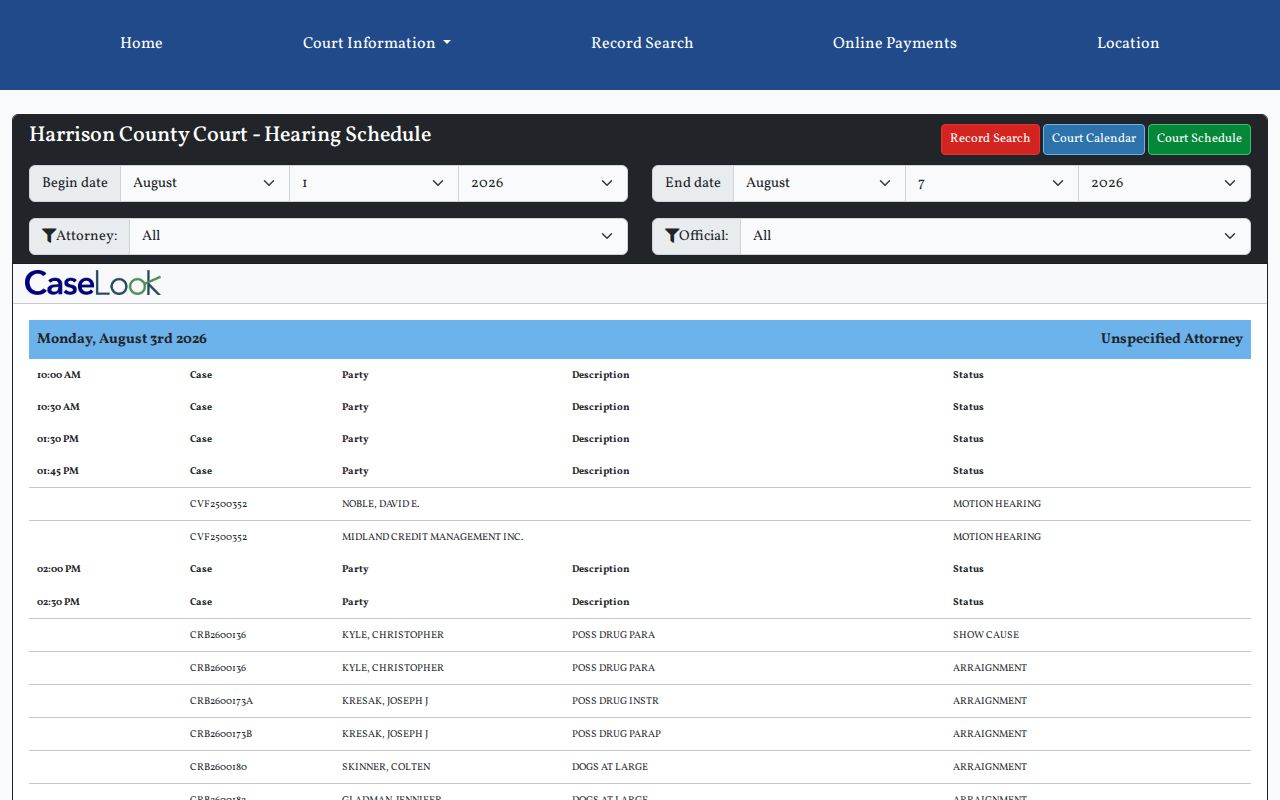
Dates, times, cases, parties, descriptions, and statuses carry a hearing lookup far. They just should not be read to imply more than each public row shows.
Court Settings: What Each Field Means
A setting is simply a listed court event. On the County Court schedule, the public fields are the date heading or time slot. They also include Case, Party, Description, and Status. The case record adds the case type, hearing information, and chronological Docket Entries. The schedule rows do not display a courtroom number or a full judge name. Neither should be inferred from a calendar line that looks complete.
| Date and time | The listed day and time slot for the scheduled event. Confirm it against the newest case entry if the event may have changed. |
|---|---|
| Case | The case number or identifying case field used to match the calendar row to the actual record. |
| Party | A party column that helps match a calendar result; it does not replace the case caption or full record. |
| Description | A short event or charge description where present, to be read with the case type and docket activity. |
| Status | The public schedule’s setting label, such as ARRAIGNMENT or MOTION HEARING, rather than an automatic case outcome. |
The Common Pleas Calendar Search works with its own filter set. You must supply a beginning date, and an end date is optional. CA, CV, CR, DR, JL, and MI categories appear as checkboxes you can pick from. CAPTCHA is required. Remember that the date selector only runs a search. It does not promise full historical online coverage across every category.
Harrison Court Schedule Labels
On the public Harrison County Court schedule, County Court CaseLook shows labels such as MOTION HEARING, SHOW CAUSE, ARRAIGNMENT, PRE-TRIAL, SENTENCING, BENCH TRIAL, REVIEW, and WARRANT. These are local setting labels. They come without a court-defined glossary. So the case docket is what tells you what actually happened and what followed. No label by itself shows a plea, a ruling, a sentence, or a dismissal. Nor does it prove a warrant is still valid.
- ARRAIGNMENT
- An early criminal or traffic setting for addressing a charge and plea, not itself the later outcome.
- MOTION HEARING
- A setting to consider a request made to the court; the later entry or order indicates any ruling.
- SHOW CAUSE
- A hearing label calling for an explanation or response; read the docket entry for the particular issue.
- BENCH TRIAL
- A judge trial setting, which does not itself state the verdict or judgment.
- REVIEW / WARRANT
- Public schedule labels that require the case record and court confirmation for current meaning or procedure.
Treat a setting term as a search aid. Use it to find the matching docket activity, then read the case record before drawing any conclusion from the calendar alone.
When a Court Date Moves
A calendar snapshot can lag behind the case record. A continuance or reset may replace an earlier date. A fresh docket entry or mailed notice can change what a public schedule still shows. County Court and Common Pleas CaseLook each warn that displayed data can trail court action by at least 24 hours. That delay matters most for a same-day change or a setting that just moved.
A vanished or altered calendar row is not proof the case ended. Compare the original notice, the newest Docket Entries line, and the current calendar listing side by side. If the record stays unclear, contact the court. The case-specific court or clerk confirms the setting, not an older calendar screen. For a statewide view, Ohio eStats public reports publish court information across the state. They cannot replace Harrison County's live case-specific schedule. Nor can they replace the clerk's confirmation.
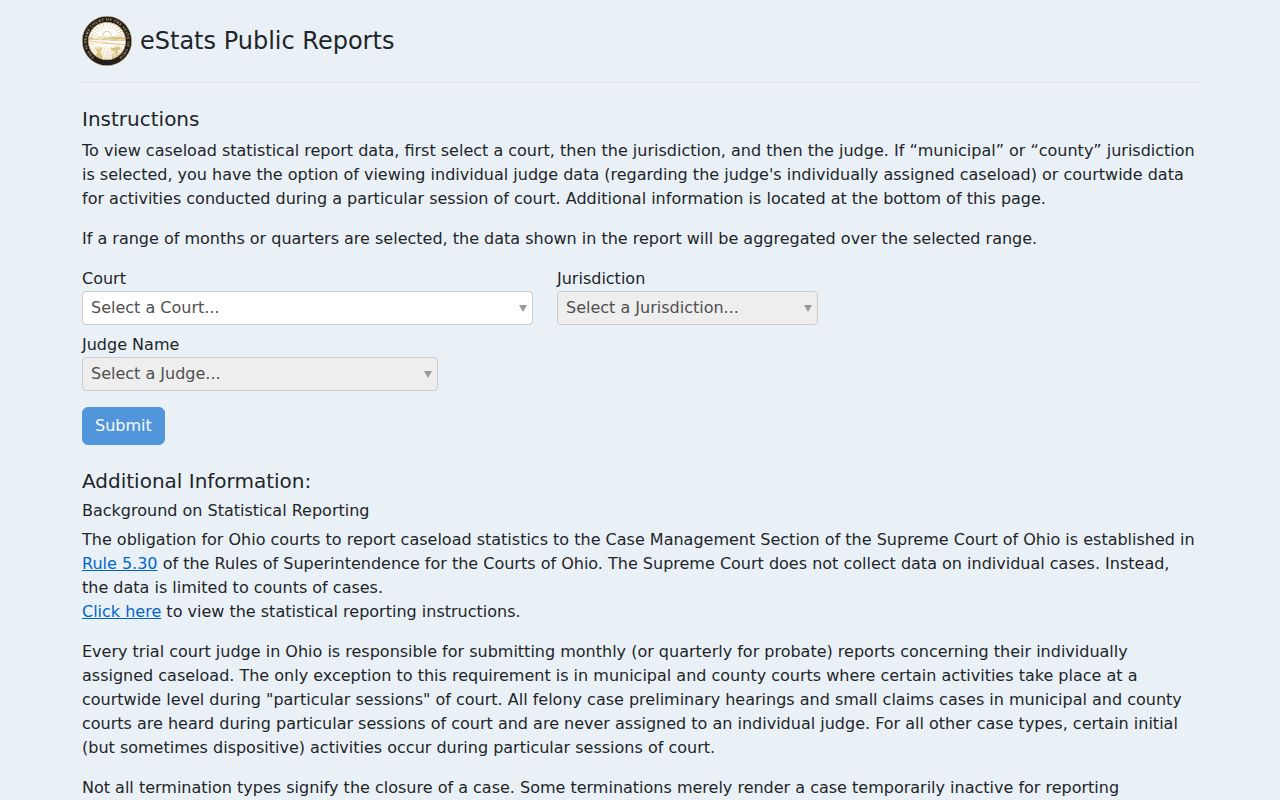
Statewide reporting cannot confirm an individual Harrison setting.
Harrison Common Pleas Calendar
Common Pleas Calendar Search looks different from County Court’s month and range views. A beginning date is required. Month, day, and year selectors span January through December, days 1 through 31, and the displayed years 1982 through 2029. The ending date is optional. Leave all six categories checked for a broad look. Or narrow the search to CA, CV, CR, DR, JL, or MI. Results-per-page options run 25, 50, 100, and 250. CAPTCHA must be completed before the search runs.
| County Court | Common Pleas |
|---|---|
| Month/Year public calendar and a date-range schedule. | Calendar Search with required beginning date and optional ending date. |
| Optional Attorney and Official filters. | Optional CA, CV, CR, DR, JL, and MI category filters. |
| Rows show Case, Party, Description, and Status. | Results use the Common Pleas calendar search after CAPTCHA. |
| For County Court matters such as traffic, misdemeanors, limited civil, and small claims. | For Common Pleas categories such as criminal felonies, civil, domestic relations, liens, and appeals. |
Common Pleas CaseLook is the official portal entry point for that separate calendar interface. Its date-range menu supports a query. It does not guarantee complete online historical docket activity.
Missed Settings and What Comes Next
Think a listed date was missed? Start with the court and case number. Then call that court promptly for current status and procedure. County Court answers at 740-942-8865. Common Pleas staff can be reached at 740-942-8500. The Common Pleas Clerk at 740-942-8863 handles record and copy questions. Probate and Juvenile matters go through their own court contacts. No public schedule can tell you what procedure the court requires after a particular missed event.
Missed a setting? A missed court date can have serious case-specific consequences. Contact the court that owns the docket and, where represented, an attorney immediately for the current setting and proper next step.
A WARRANT display is a public schedule label, not proof of current validity or instruction on how to respond. Confirm it directly with the court.
Never wait for an old calendar row to explain things. The newest docket activity, a current notice, and direct court confirmation form the reliable sequence.
Harrison Court Date Confirmation
Confirmation matters most in a few situations. Paperwork and the public calendar may disagree. A date may have changed recently. Or a case may not be visible online. Start with the citation, summons, notice, or latest docket entry. Next, search the correct CaseLook record. Then check the County Court calendar or the Common Pleas Calendar Search. Finally, call the court that owns the case. This four-part chain keeps the public information useful while respecting the portal’s at-least-24-hour posting warning.
County Court handles traffic, misdemeanors, preliminary felony proceedings, limited civil, small claims, and eviction. Common Pleas covers the separate Appeals, Civil, Criminal, Domestic Relations, Judgment Lien, and Miscellaneous categories. Probate and Juvenile sit in their own divisions. Choosing the right court is therefore the first step in any reliable court-date lookup. Ohio court-services dashboards supply statewide context. But a Harrison court’s direct confirmation line gives the real answer.
For a final answer on a case-specific date, time, or changed setting, only the appropriate Harrison court will do.